Showing posts with label messaging. Show all posts

Friday, 13 May 2016

Gboard keyboard for iOS

Gboard for iOS 

The Apple's iOS is seeing an increase in the third party keyboards available in the app store. Just a month after its biggest rival Microsoft released Wordflow Keyboard for the US another giant, Google takes a big leap by introducing Gboard for iPhone and iPad. 


Gboard though aesthetically average and simple consists the power of web. It has a search functionality integrated with the keyboard which helps user to search for content on Google and it's services like YouTube and share that content with users without having the trouble to open a separate application.


The Google button at the top left of the keyboard opens a mini screen where you search and look for the right content to share. You can even search for emoji and gif for that right moment in any conversation. This makes searching for any content like text and image seamless. 


Along with this Gboard packs the usual features like swipe-to-type and predictions which work pretty well too. Google has launched Gboard for US only users, but you can download it by creating a US based Apple ID. 

Gboard is a must have for people constantly going across web while in-conversation to share content like images, gifs and videos. 

Monday, 21 March 2016

Hidden Telegram Tricks

Hidden features of Telegram Messenger 

Telegram is an emerging cloud based instant messaging application that has over 100 million users and 350,000 users joining daily. Founded in 2013 this application has gained a reputation for secure messaging and end-to-end encryption, so much so, that the founders Nikolai and Pavel Durov have announced an award of $200,000 for cracking Telegram’s algorithm. It is lighter than its immediate rival application WhatsApp and provides an array of features that have gained popularity. Take a look at some of these hidden features of Telegram that you must know for an even better experience on the application:


1.       Managing Sessions in Telegram:
One of the most remarkable features of the Telegram is using and managing sessions. Telegram is available across all the platforms and allows access to one’s account from multiple devices at the same time. As cited earlier it is a cloud based service so all the chats are kept synchronized on every device. Sessions can also be managed under Privacy Settings to view all the active sessions and terminate sessions with one tap.


2.       Using Telegram on web browser:
Telegram allows access to account through the web browsers on web.telegram.org. The chats and contacts would appear on the window and messages can be sent seamlessly without using the application. This web version is also accessible from mobile browsers and general functionality like sending photo or video is also available.


3.       Using secret chats:
Boasting of security features like end-to-end encryption, Telegram also provides a feature called Secret Chats which provides self-destructing messages that are by design deleted once read or viewed. The Secret Chat can be started from the new chat option and selecting the contact. One can also choose the period from the self-destruct timer for which the message is available to be read or viewed which would thereafter be deleted. The timer starts when the message is read or an image is opened. The application also sends a notification if the receiver has taken a screenshot.


4.       Hiding the last seen from specific contact:
Even as most messaging apps provide the feature of hiding the last seen from contacts, Telegram provides an added aspect of hiding the last seen from a specific contact. Under the Last Seen menu of Privacy Settings in the application one can specify the people with whom to not share the last seen.


5.       Blocking people from adding you in groups:
On numerous occasions people start adding you to unknown groups and channels which is annoying. Henceforth to reduce the effort of exiting unknown groups repeatedly, Telegram provides a feature where you can specify the people who can add you into groups and channels. This Setting is available under the Groups menu in Privacy settings.


6.       Setting and Using Username:
The Username menu under Settings allows you to choose a username for your account for other people to contact you without knowing your phone number. This is an improvement wherein you don’t have to share your phone number with other people as it is considered more personal.


7.       Channels on Telegram:
Channels are tools to broadcast messages to a large number of audiences. You can join existing channels or create your own channels. As the creator of the channel you can broadcast messages, delete any messages, add members, remove members, change the channel's name, profile image and link, as well as delete the channel completely. The creator can also add and remove administrators to help manage the channel. There are two types of channels Public and Private. Public channels have a username and can be viewed and joined by anyone. One can join a channel by visiting telegram.me/channelname on the web browser and then opening the link through telegram or by sending a message @channelname to one of the contacts and tapping on that link. There is a catalog of channels on tchannels.me


8.     Using @ in Telegram:
Telegram introduced inline bots which are used to communicate in a more efficient way by searching and sending the content relevant to the conversation right from the chat screen. You can send relevant gifs or information from websites like Wikipedia, Imdb to the users groups or channels instantly. Several sample bots like @gif, @imdb, @wiki, @bing, @bold can be used. You just need to type @username of the bot you want to use along with the keyword to get the relevant content.


9.       Using editor while sending photos:
Sending photos is one of the universal features provided by any instant messaging application. Telegram provides an added feature to edit the images before sending it to the contacts or groups. The editor can be used to crop and edit effects to enhance the photos before sharing.


10.   Using Passcode lock and Two-Step verification:
App locks provide an easy and efficient method to keep the private chats secure from prying eyes of friends and family. Though there are numerous App locks available for the Android applications, iOS does not have efficient third party App locks. Telegram provides Passcode feature to secure your application. Furthermore it provides a two-step verification password feature that sets a regular password for when you sign in from a new device along with the pass code you receive on the number. This is an added security feature to keep a track of the new sessions from multiple devices.


You can comment any queries and suggestions.

Friday, 20 February 2015

Hike has it all: The awesome new feature!

The Indian instant messaging company has pushed another update with a new feature that has brought just everything you need in a messenger. The already successful instant messaging application which has been a rival to likes of WhatsApp, Viber and Line has now crossed every line to become India's favorite. Lets talk about the new feature which we think would be very successful.


With  the latest update Hike has put in a new contact in everyone's favorite list. This contact is named Natasha. With Natasha hike tries to bring to you information, search results, weather and facts which you otherwise would require to search in a browser straight to your messenger.


How? You ask. Well its simple, you just have to send message to this contact and the contact will immediately respond with appropriate results. For example you need weather updates about a location you just type in #weather Delhi and you get weather update for Delhi, or you want to search a person or article on Wikipedia you just type #wiki Rajnikanth  and you immediately get a response with the result. There is a lot more that you can do. A complete list can be availed by sending #more to this contact.


Hike Messenger[Android][Windows Phone][IOS]

Wednesday, 18 February 2015

Fleksy Android Keyboard: Why we Love it!

Fleksy is a third party Android Keyboard which is now also available for IOS devices. Now most of you use the preinstalled keyboard provided(Google Keyboard or the manufacture keyboard). But they have a limited functionality and are simple. So lets see what makes Fleksy stand out.

Fleksy has a very wide layout that is pleasing to the eye and easy to use. The keyboard can be re-sized to three basic sizes depending upon the size of your screen. But the keyboard layout is such that you need both hands to type in. I find this good as with the large screen phones now I don't see how one can type only with one hand. Also the keyboard does not have the popular swipe feature and that's not a problem for me as I don't use swipe to type phrases.


The feature that makes Fleksy catch the eye is the extensions. Fleksy has a lot of extensions to add to the keyboard like the number row above the keyboard, shortcuts to apps and hot-keys etc. You can add up to three extensions to your keyboard according to your liking. And let me tell you these extensions work like a charm.


Although one of the feature that still lags behind is the language support. Fleksy has only basic language support and languages like Urdu and Hindi are still under development.

High on features the keyboard is also high on price. There is a limited trial and a limited number of themes and extensions that can be used. For all other things you'll have to pay. You can always just buy the keyboard and use the basic themes and extensions which are enough if you ask me. That said I have been using this keyboard since last six months and it hasn't disappointed.

Fleksy[Android][IOS]

Tell us which third party keyboards do you use on your device.

Friday, 4 July 2014

Sicher: New secure messenger for Smartphones

Sicher: Secure Messaging App

During the past few months there has been an increase in the introduction of new messaging apps that take instant messaging to a whole new and secure level. One of the firsts to be introduced in this was the Telegram( Which we have already discussed in earlier posts). We today discuss yet another app in the secure messaging arena- SICHER.

Sicher is an instant messaging app brought to you by developers of popular messaging app IM and IM pro. The developers SHAPE GmbH are based in Germany. Lately there have been many reports of the privacy of users being compromised on the internet. So this is an app for those individuals who care about their privacy and  need a secure messaging app.


Some of the features of Sicher include: 
  • Point to Point encryption for secure messaging.
  • Self Destructing messages and chats.
  • Timer that can be set to destruct the messages.
  • Passcode to provide a more thorough security.
  • No chats are stored on either device or servers after destruction.


However the app is still new to the market and there will be a relatively less number of users, but you cn always give it a try between you and your friends. Also the messenger includes basic features like group chats, transferring files. One added advantage to this is that you can also send file extensions like .rar and .zip. 

So head down to the app store and try it out yourself

Sunday, 13 April 2014

Messaging Apps For You Continued

Messaging Apps For You: Continued

1. LINE

Line came into messaging a little late after WhatsApp and Viber launched in 2011, But it still has large number of users. The extra features of line include a large number of stickers that you can download and use. Line now also supports voice calls and video calls. The call quality was pretty decent compared to Skype and Viber. Line has introduced many promotional schemes in order to increase its usage. You can take benefit from these promotional offers and use it to recharge your mobile phone for free.

Advantages:
  • Stickers- A large variety of stickers available for you to download and use.
  • Voice Calling- Although voice calling is not new but it is still unavailable in popular messaging apps like WhatsApp.
  • Video Calls- A decent video calling ability adds to the advantages.
  • Promotional Features- Who doesnt want to get a free recharge?:D.
Disadvantages:
  • Not everyone is using Line as they are using WhatsApp.
  • The app can be sometimes irritating with all the promotional messages.
Download:
Hike is Indian Instant Messaging apps that provides all the features that you need in an Instant Messaging app. The feature that makes it different from others is the themes that you can add into chats and the text message feature. The text message feature allows you to send text messages to a person who is not able to receive your messages due to no internet. Also Hike also promotes its app by giving you a 20 rupees for every friend you invite on Hike. Pretty solid scheme if not many of your friends are not already using Hike. 

Advantages:
  • Rewards- You earn 20 rupees for every successful friend invite. 
  • Themes- Design your chats and groups using themes for every mood.
Disadvantages:
  • I found none!!
Download:
Blackberry Messenger is oldest in the game of Instant Messaging and once had the largest number of users. But along with the downfall of Blackberry the app also suffered. The once top messaging app lost its throne to several others competitors. Blackberry relaunched itself on Android and Ios later last year, and since then has been trying to bring itself back. There is a lot of features just waiting for you to be used. Give it  try!

Advantages:
  • Voice Calling feature is good.
  • You can share documents( That is new)
  • The contacts can see your location on a map.
  • You can control the people who can send you a message.
Disadvantages:
  • The app is still laggy.
Download:
  • Android
  • Windows Phone( Coming Soon)


4. WE-CHAT

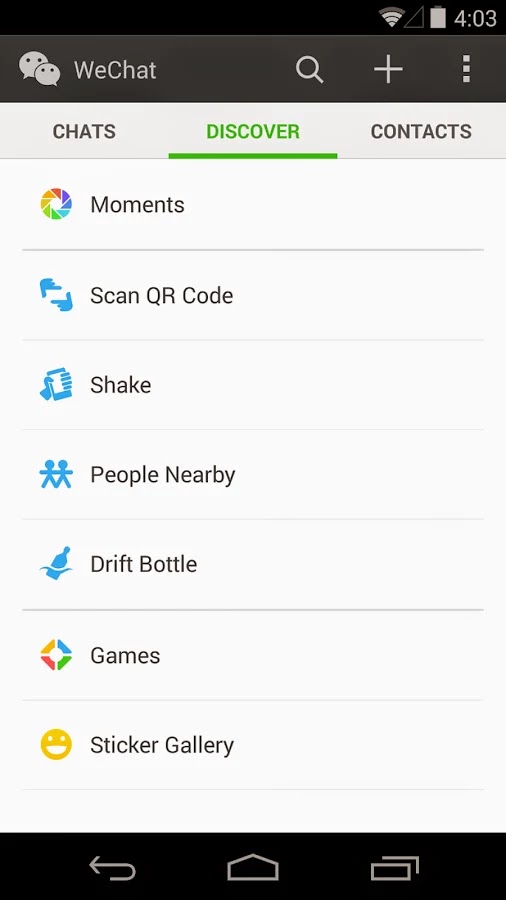
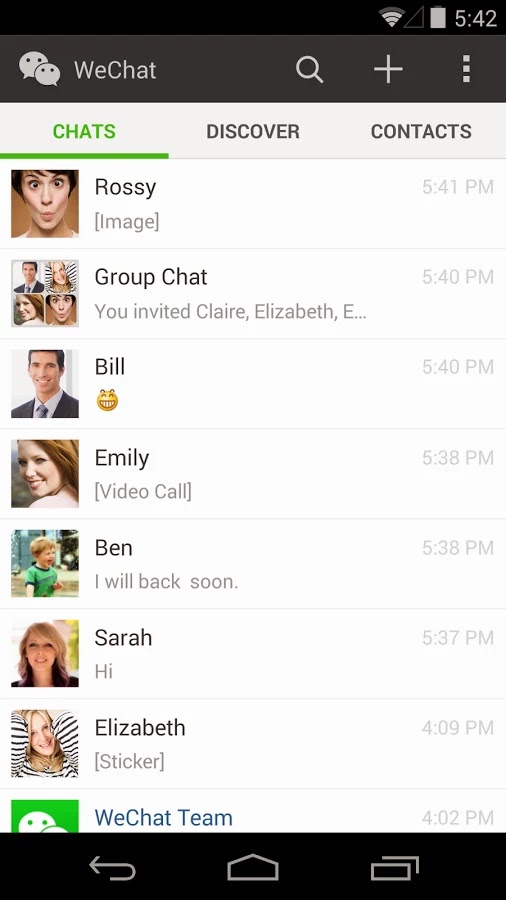
We-chat is a popular Chinese Instant Messaging App, The apps design is satisfactory and it was one of the firsts to allow sending voice messages to friends. The special features include connecting with other people in your area using We-chat. The app also includes gif stickers that are fun to use. This app doesnt show the online or last seen feature which is sometimes good and sometimes irritating! 

Advantages:
  • Stickers- Huge variety of stickers to use
  • Voice and video calling- Same old same old
  • Near me-Find people around you using this app.
Disadvantages:
  • Less number of users. 
Download: