Wednesday, 15 January 2014

Some Basic Tips on How to Safely Browse the Internet

As we know today the internet has not just evolved into something that is really helping hundreds of millions of people in their work and also helping in driving the economy,but to all this there also lies the sectors of internet which can become a nightmare to someone.
Most of the simplest form of these is a virus and malwares.Today these viruses and malwares are spreading at a much higher speed than ever,it is because of higher reach of internet availability and lack on information among the users on how to safely browse the internet.
I have personally been a victim of viruses in my early days when I was learning to use the internet,after which I learnt and found some very basic methods to browse the internet without getting infected.
Being in college I have seen and dealt with a lot of my colleagues bringing their computers to me for repair and treatment of viruses,probably they shouldn't if they just follow some basic instructions on how to browse the internet safely.

The methods that now I'm gonna tell are some very basic things which most people might know but they ignore it and are applicable only to a PC.


1. Install an efficient antivirus with a firewall system

An efficient antivirus will prevent most of the attacks coming in from any rogue websites by filtering them and even preventing access to them.
I would recommend using ESET Smart Security Antivirus,I have been using it since last 7 years and haven't had a virus breach in my system since then.

2. Removing useless toolbars from your browsers


This can be simply done by opening up the control panel,then going to add or remove program

3. Using AdBlock AddOns for your browser(mozilla/chrome)

This is one of the most efficient methods to prevent clicking on any unwanted links which might lead to getting infected by malware or leading to a phishing site which is a replica of a very common known site like facebook but isn't actually related to it,as soon as the link is clicked the user is forwarded to a page leading to that website's fake page where if the user inputs his credentials will lead himself to getting easily hacked and leaking of some every information from the user's system.
To install this very AddOn goto bit.ly/1bia3G6 then click add to chrome

You can see the difference here in the below image
The similar is applicable for mozilla users in the very same way.

4. Always be vary of the link you're clicking on

You must always bring your mouse cursor over the link you want to open and then you can see the full link of the site you will be directed to
Such links as you can see above are to be avoided and doing so will keep your system secured to a great extent.

5. Knowledge of websites

Most people want to download music,softwares and movies.But what most people do wrong is blindly go on browsing the internet and reaching malwares websites in search of finding quick links to download.
I'm going to list some websites that have been deemed to be secure and trustworthy.

Softwares:


Music and Movies


In case of torrent and warez sites(for knowledge purpose only)


Downloading from the above sites with care,whatever you are about to download firstly know about them on the internet by googling it down.Most people are scammed by downloading fake downloading which occurs when people upload fake downloadable content loaded with viruses,people out of their curiosity and eagerness to download it and suffer the consequences.
Happy browsing to all,if there is anything you might wanna ask me about or any tutorials then please leave a comment,I'll be happy to help you all.
Thank you.
Regards fuXu.

Windows Phone: App Round-Up

App Round-Up

This is a new section which we will be starting for users. This section would contain popular and useful apps and we will try to introduce these apps to you. 

1. Say it with Flowers

A nice way of wishing birthdays, anniversaries or can be used for any other occasion. This app provides you a gallery of flower images on which you can add your personalized message and send it to your friends over many of the instant messaging apps on your windows phone device. This app can also share these images on the family room or as mms to your friends and family. There are several options on changing the font style and color. The app also consists of in app purchases for Christmas special images or for using your images from the camera roll. 


2. Quiet Hours

Now this app we all needed. This is the app for automatically controlling your ringer volume. This app comes in handy when you put your phone to silent but forget to bring it back on ringer. This app does that for you. You can schedule times when you want the phone to automatically go into silent mode and then back on. However to activate the scheduling element there is an in app purchase. But still worth a try.


3. App Folder

Windows Phone users have been bugging about the inability in making folders on the start screen to group apps together well here comes the solution by Nokia. This app is for Lumia Phones only and lets you create folders on the start screen to group applications together.  


4. Unibeam

Many of us use the flash of mobile phones as torches in dark. Here is a fun way to do that .This is one of the coolest flashlight apps themed centrally on superheroes. It contains many themes and sound effects as you click on the flashlight. So enjoy playing with the flash!


Tuesday, 17 December 2013

Running Games on Windows Phone

Running Games on Windows Phone

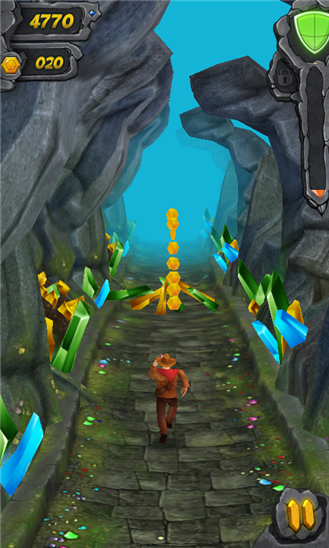
Here are some cool new running games that you can play on your windows phone. These games are quite like the Temple Run, a known game from Imangi Studios which is based on Endless Running.

1.AE Kalpana-Incas lost city

Another game from the popular game developer AE, this game brings on running adventures of old west with various environments and features. With a lot of different levels and environments that can be unlocked. It brings about the most enjoyable running game experience to windows phone

You can download from here


2. Minion Rush

Your favorite minions are now running on Windows phone ! With exciting environments and boss fights. You can chose among various camera angles and finish challenges to gain extra points.

You can download from here


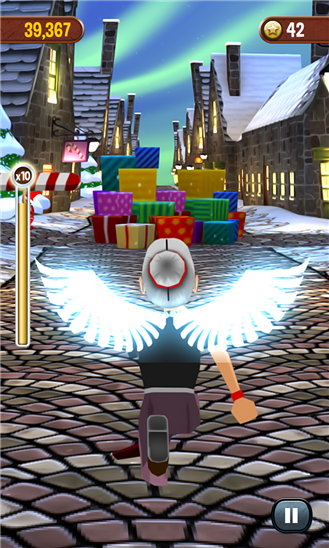
3. Angry Gran Run

Run, jump, dash and slide over and around tons of different and WACKY obstacles in this crazy new endless running game! The game has excellent graphics and new type of obstacles like dinosaurs!(Yes Dinosaurs!!!!)

You can download from here


4. Chennai Express

This game developed by Indian developers. There is a lack of graphics but still you must try out in the spirit of Indian game developers or if you like the movie

You can download from here


Sunday, 15 December 2013

New Innovative Design Keyboards for Android

New Innovative Design Keyboards for Android

Here are some new and innovative design keyboards that are worth take a look if you want some new design and features to add to your keyboard! 

1. Fleksy Keyboard

A day or two use of Fleksy keyboard and i am already liking this one. Although it certainly lacks the ability to swipe and type but still the one thing that features above all is design. It is specially good for small screen android phones and people that find their fingers hitting the wrong keys most of the time. Fleksy is clear and big. Almost easy to use. For the people who use solely English while typing, this is a great keyboard. And of course most of us who use Hinglish, it will take some time to add some words to dictionary. But its totally worth it. Give it a try! 

You can download Fleksy Keyboard from here


2. Minuum Keyboard

Minuum Keyboard should be used for its word suggestion skills, But that is to some extent limited to English only. This is not for people using Hindi words in their messages. Minuum has a very unique and interesting layout which takes very less space on your screen and thus making the full use for the screen. Also it will take some time getting used to this new layout because it is unlike any other layout. One of the great features are that if you start using this properly you might never have to type another full word( Sounds to lazy! ) 

You can download Minuum Keyboard from here


3. 8 Pen

8 Pen is by far the most innovative keyboard for Android. Instead of using a normal layout for a keyboard it uses a wheel structure where typing is done by dragging the wheel. Its not easy though! and uses a large amount of work to learn. The basic concept was to built a keyboard that can be easily used to comfortably type in small screens. For using this keyboard you can also learn from some games made by the same developer to improve your skills.

You can download 8 Pen from here


Monday, 9 December 2013

Launchers for Android

Launchers for Android: NEW 

The Android Operating System has been known for its ability for maximum customization. With each Android phone we buy there is a lot of different customized settings, menus and Home screen specific to the brand. Samsung provides launchers for its phones combines with customized icons and theme whereas HTC is now providing a new type of live screen where you get all your updates together in the BlinkFeed. This is the power of customization. And there is still a lot of variations you may get by using various third party launchers available on the play store. Here is a list of Android Launchers with their special features.

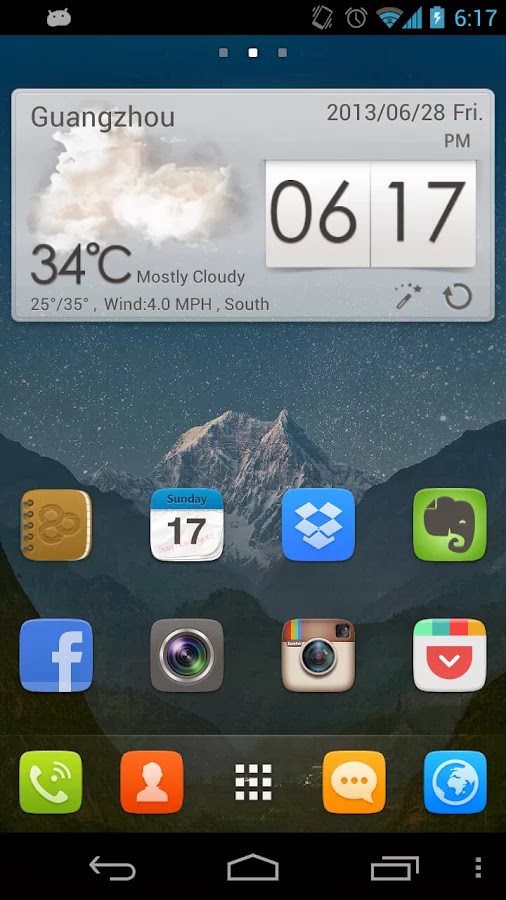
1. Go Launcher EX

One of the Most used Launchers in the Play Store, Go Launcher EX provides and excellent redesign of your homescreen, menu and also app icons. It comes with more than 10,000 themes to chose from and apply to completely change the experience on your Android phone. The added features include the plugins like Toucher Pro, Go Locker that works perfectly with the launcher and you can also change their appearance with changing theme of your launcher. Go Launcher is all about complete customization. 

You can download Go Launcher EX from here


2. Nova Launcher

Nova Launcher is a performance driven launcher that works smoothly and also has customization. However it may not have customizations compared to the Go Launcher but its fast and fluid. There is absolutely no lag and you can still get a change in your App drawer and Homescreen. 

You can download Nova Launcher from here


3. Aviate Beta 

Aviate dramatically changes your Home screen and menus to simplify your Android Phone experience. Aviate self organises all your apps and provides them under various headings such that they are easy to find and use. If you are not in the mood for individual customization to each and every setting of your phone but still want an refreshing experience then Aviate is the Launcher that you must use. It has an edge over the other launchers because it provides a new and refreshing look unlike others. 

You can download Aviate from here


4. Themer 

Themer is an application rather than a launcher that lets you chose a theme for your phone from a large gallery of themes and directly applies that to your phone. With the themes you chose everything including your Home screen and menus to icons and animations are changed. The plus point of Themer is that it provides a large library of good themes and you can change the whole appearence of your phone everyday by just one click.

You can downlaod Themer from here


5. Smart Launcher

Smart Launcher has a minimalist design but uses low resource. It is made for Android Phones with low configurations and provides a variation of themes to chose from. It also auto categorizes your apps into various headings which are easy to use. Smart Launchers is to be used for its low resource consumption and thus a fast switching and navigation in apps.

You can download Smart Launcher from here


Friday, 15 November 2013

Difference Between i3, i5 and i7

Intel Processors: The Difference between i3, i5 and i7

Processors are the main part of your Central Processing Unit in the desktop or laptop. Intel is a brand that manufactures various business as well as high end microprocessors by the name. Though the Intel Core i3, i5 and i7 have been in the market for a long time now, many of us still don't know the exact difference between them.


The cores i3, i5 and i7 are classified as low-level, mid-range and high-end performance processors. But the numbers in the name does not represent the number of cores in the processors, it is simply the indicative for their processing powers.

Intel released Nehalem Architecture in 2008, on which all of these processors are based. Common features of all Nehalem based processors include an integrated DDR3 memory controller as well as QuickPath Interconnect or PCI Express and Direct Media Interface on the processor replacing the aging quad-pumped Front Side Bus used in all earlier Core processors. All these processors have 256 KB L2 cache per core, plus up to 12 MB shared L3 cache. Because of the new I/O interconnect, chipsets and mainboards from previous generations can no longer be used with Nehalem based processors.


Their relative levels of processing power are also signified by their Intel Processor Star Ratings, which are based on a collection of criteria involving their number of cores, clockspeed (in GHz), size of cache, as well as some new Intel technologies like Turbo Boost and Hyper-Threading.


Core i3s are rated with three stars, i5s have four stars, and i7s have five. If you’re wondering why the ratings start with three, well they actually don’t. The entry-level Intel CPUs — Celeron and Pentium — get one and two stars respectively.

Core i3

Intel intended the Core i3 as the new low end of the performance processor line from Intel, following the retirement of the Core 2 brand. The Core i3-3xxM processors are based on Arrandale, the mobile version of the Clarkdale desktop processor. They are similar to the Core i5-4xx series but running at lower clock speeds and without Turbo Boost.According to an Intel FAQ they do not support Error Correction Code (ECC) memory.

Core i5

Core i5 processors have an 8 MB L3 cache, a DMI bus running at 2.5 GT/s and support for dual-channel DDR3-800/1066/1333 memory and have Hyper-threading disabled.New feature add Turbo Boost Technology maximizes speed for demanding application, dynamically accelerating performance to match your workload- more performance when you need it the most.

Core i7

The Core i7 brand remains the high-end for Intel's desktop and mobile processors, featuring the Sandy Bridge models with the largest amount of L3 cache and the highest clock frequency. Most of these models are very similar to their smaller Core i5 siblings. The quad-core mobile Core i7-2xxxQM/XM processors follow the previous "Clarksfield" Core i7-xxxQM/XM processors, but now also include integrated graphics.


Source: Wikipedia, PCWorld